
How to Search Civil Dockets
The North Carolina eCourts Portal is the starting point for any Wilkes County docket search. Smart Search takes a record number or a name typed Last, First Middle Suffix. It opens the Case Summary, sometimes called the Register of Actions. A record number is the tightest filter. With a name, advanced filters narrow results by Wilkes location, party details, case type, case status, and filing-date range. A short or partial name search does not prove every past spelling was covered. For a hearing that is coming up, Portal Search Hearings works better. NC Judgment Search is a separate public index. You can query it by party name or case number, with filters for case type, status, location, and judgment date. Its results can include case number, disposition status, index date and time, parties, and judgment comments. For the fuller Case Summary, though, Smart Search remains the route.
- Open Portal, select Smart Search, and enter the Wilkes County case number or name.
- Use advanced filters for the relevant civil, estate, special-proceeding, or other available case category.
- Open the matching Case Summary and read the assignment, party roles, cause of action where applicable, Case Events, hearings, and disposition.
- Use Search Hearings and the Wilkes civil calendar to confirm a current setting.
- Contact the Wilkes Clerk for a file, certified copy, or current amount that Portal does not certify.
Wilkes County Civil Docket Search Filters
Filters matter when a party name shows up in many cases. Portal resources list case categories. These include Civil Actions, nonconfidential Special Proceedings, Estates, and Criminal Actions. For civil work in Wilkes County, combine the name or number field with location, party criteria, case type, case status, or filing dates. Portal menus shift over time. Check a live screen for the current labels rather than trusting a copied list.
| Portal route | Useful field | What it answers |
|---|---|---|
| Smart Search | Record number or party name | Locates the Case Summary and its detailed public event history. |
| Advanced filtering | Location, party, case type, status, filing date | Narrows a Wilkes County civil result set. |
| NC Judgment Search | Party name or case number | Finds the public judgment-index result, not the complete Case Summary. |
The Portal allows anonymous public searching of nonconfidential court records. Registering lets you save cases in My Cases, but it grants no extra access to restricted material. Note: A current Portal screen is the best source for live filter labels, since menus can change.
What a Civil Docket Shows
A Wilkes County civil Case Summary is a dated account of case activity. Core fields may cover case information, assignment information, and party information. They can also include cause of action where it applies, Case Events, hearings, dispositions, and financial information. Civil metadata leans on the cause of action and the parties' roles rather than a criminal charge. Only the individual case record proves what happened. A general list of events is not evidence that every civil matter includes each step.
| Case and assignment | Case number, type or status, and available court or location assignment information. |
|---|---|
| Party roles | Available plaintiff and defendant, or petitioner and respondent, information for the case type. |
| Cause of action | The applicable civil claim or category displayed in the Case Summary. |
| Case Events and hearings | Dated filings, notices, motions, orders, settings, and other activity shown in the record. |
| Disposition and financial area | Available result, judgment, or financial reference data, not a clerk-certified copy or payoff figure. |
A filed order, a public document image, a certified copy, a transcript, and a Case Summary are different things. Portal may display a public document when one exists, but a docket event by itself does not guarantee an image or a certified copy.
Wilkes County Civil Docket Court Levels
Court assignment sits at the heart of a Wilkes County civil docket search. Judicial Branch guidance places civil cases under $25,000 in District Court. Magistrates try small claims up to $10,000. They also handle summary ejectment, personal-property recovery, and mechanics-lien matters. Superior Court takes civil cases over $25,000 and many special proceedings. The Clerk of Superior Court holds initial judicial functions in estates and related matters. These categories point you in the right direction. Still, the Portal assignment and case type are the best indicators for a specific court docket entry.
| Wilkes forum | Civil docket coverage | Record path |
|---|---|---|
| Magistrates | Small claims of $10,000 or less and listed minor civil matters. | Unified Portal and Clerk of Superior Court path. |
| District Court | Civil cases involving less than $25,000, with other subject-matter assignments. | Portal Case Summary, Search Hearings, civil calendar, and clerk. |
| Superior Court | Civil cases over $25,000 and superior civil motions or trials. | Portal and clerk, with judicial-office confirmation for settings. |
Wilkes County has no separate county civil clerk. One Clerk of Superior Court keeps the local file across the state trial system. Note: The assignment and type shown in Portal control more reliably than a dollar threshold alone.
Types of Civil Cases on the Docket
Civil records in Wilkes County may fall under civil actions or estates. They may also be special proceedings, domestic or family matters, or other categories. The right Portal category depends on the case. A dollar amount is not the only clue. Estates and special proceedings can draw on the clerk's statutory judicial functions. Assignment, party roles, cause of action, and dated events give a steadier picture than forcing every matter into one label.
| Case grouping | How it appears in the local system |
|---|---|
| Civil actions | Use Smart Search, case assignment, and cause-of-action information where Portal displays it. |
| Estates and special proceedings | Use the available Portal category and remember the Clerk’s initial judicial role for these matters. |
| Small claims and related magistrate matters | Follow the unified Wilkes Portal and clerk path rather than looking for a separate justice-court database. |
Classification still matters. The same party name can appear in more than one type of Wilkes County court record.
Wilkes County Civil Docket Event Terms
Civil Case Events are the dated story of how a matter moved. A history may include the initial filing, service, an answer or response, a motion, a notice or hearing, an order, a trial or dispositive ruling, a judgment, and later indexing or execution activity. Treat these as reading anchors, not a required sequence. Any Wilkes County case can have fewer or different events, and the current Case Summary is the proof for that case.
- Cause of action
- The civil claim or category shown where it applies in the Case Summary.
- Motion
- A request asking the court to make a ruling, which can lead to a hearing and order.
- Continuance
- A court-approved move to a later date; the earlier setting remains in the history.
- Disposition
- The recorded result or status of the matter; Judgment Search returns a disposition-status field.
Read events in date order. That habit stops an old notice from being mistaken for the active hearing, or a judgment-index entry from standing in for the full court file.
Settings and Hearings on Civil Dockets
Two tools cover different needs here. Search Hearings gives you a current Wilkes County civil setting. Smart Search pulls the fuller case history. In Search Hearings you can narrow by the Wilkes location, hearing type, a date or date range, and a search type such as case number, party, business, attorney, judicial officer, or courtroom. What you get back is the hearing's place and time tied to its case. The Portal guidance makes no promise about whether a hearing is virtual or in person. Confirm that detail with court staff.
The county page also posts the official Wilkes civil calendar. Think of the calendar, the hearing search, and the Case Summary as three pieces of one picture. The calendar shows the published county schedule. The hearing search finds the live setting. The Case Summary reveals whether a continuance, an order, or a later event reshaped the record.
Still unsure as the date closes in? Call the Superior Court judicial office at (336) 651-4416 or the District Court judicial office at (336) 651-4412, depending on the assignment. For records themselves, the Clerk of Superior Court at (336) 651-4400 is the local route.
Wilkes County Civil Docket Calendar Requests
Wilkes County's local rules and forms hub gathers the Superior Civil Case Management Plan, continuance materials, and a Request to Calendar. All of it sits in one place. Do not confuse that Request to Calendar with a public-records request. It is a local scheduling form. You fill in a file number, case caption fields, and estimated-time fields. Then choose a requested setting for a jury trial, non-jury trial, or motion. Motion requests add a courtroom blank plus a description area.
The form also asks whether you need a court reporter. It asks whether a conference with parties is expected, and whether the other side agrees to the date. It lists no filing fee. No processing time appears, and no electronic-filing instruction either. Local plans often carry historical effective dates. Never assume a deadline without reading the current document and following court direction. The official Wilkes local-rules page sets out the full text on this Wilkes County civil docket image.
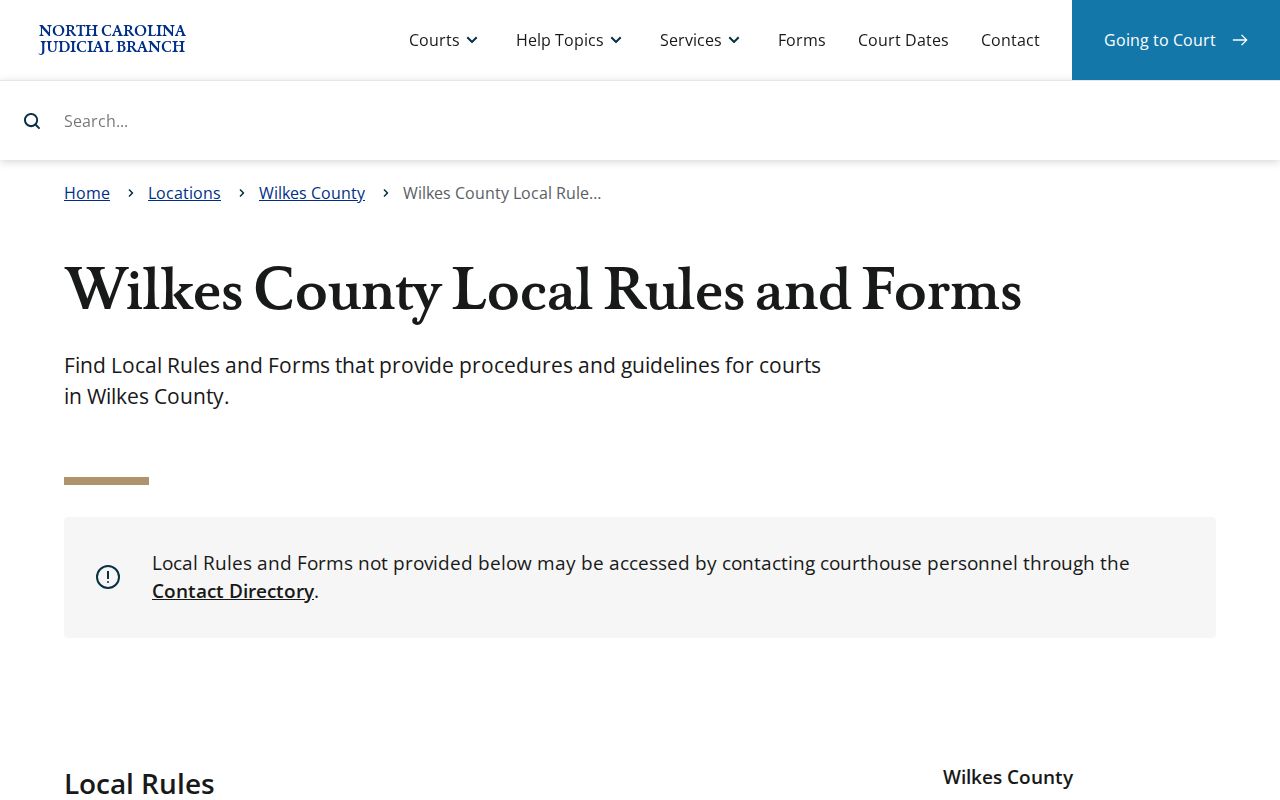
The local materials draw a clear line between asking for a new civil setting and simply looking up a hearing already on the Portal docket.
Note: Read the current local document before relying on any scheduling deadline or filing procedure.
Public Access to Civil Dockets
North Carolina's public-records policy opens the door to a Wilkes County civil docket. But court-specific confidentiality laws and sealing orders still control. Under G.S. 7A-109, the clerk keeps the records, files, dockets, and indexes. These stay open unless a law says otherwise. Portal access covers nonconfidential, nonsealed information. That does not make every personal field or document public, though. A case can show a full event history. It may still offer only a limited document image or redacted details. That split is common, so read each entry with it in mind.
Key Rules:
G.S. 7A-109 establishes the clerk’s record-keeping and public-inspection framework.
G.S. 132-1 provides the state public-records policy background without overriding court confidentiality law.
G.S. 132-1.10 addresses protected personal identifiers and a written redaction-request mechanism.
The official G.S. 132-1 source is shown in this Wilkes County civil docket image.
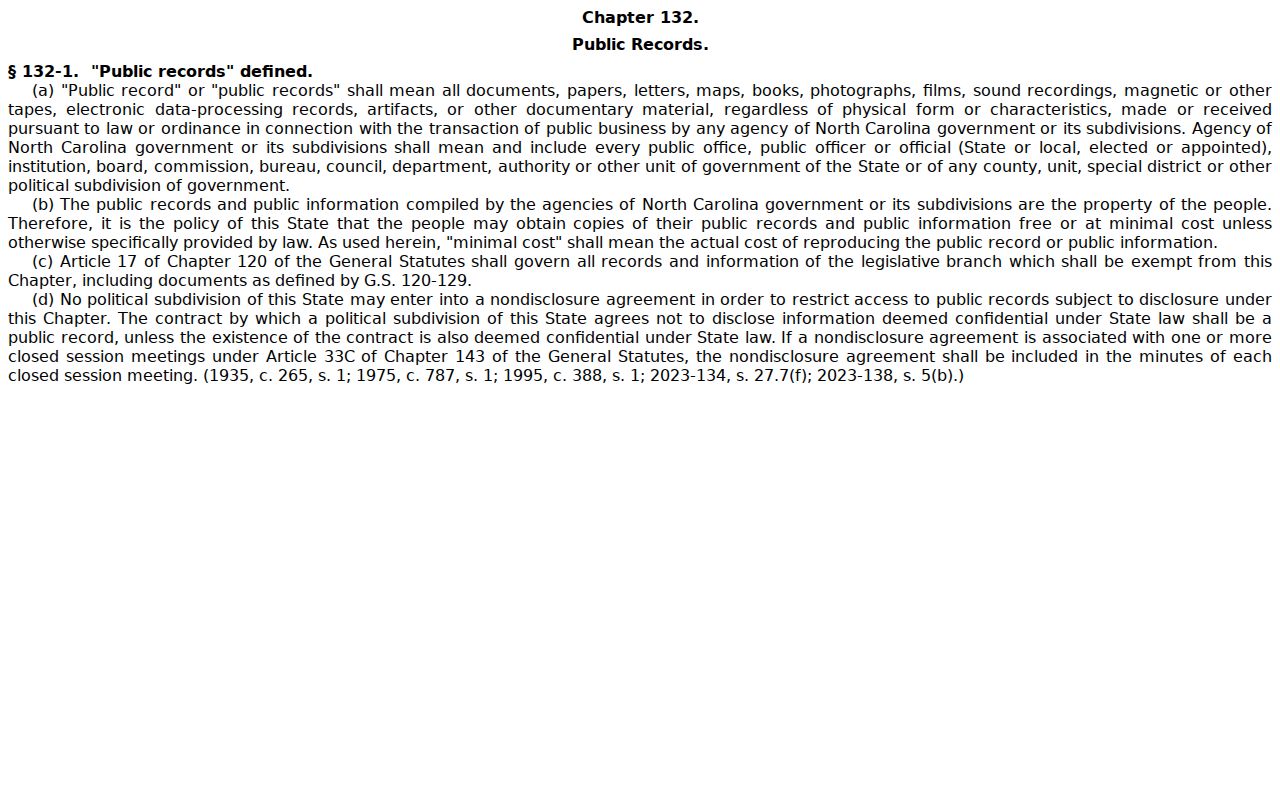
The statute sets a general public-records baseline, and case-specific court restrictions still apply on top of it. The official G.S. 132-1.10 source lays out the text on this Wilkes County civil docket image.
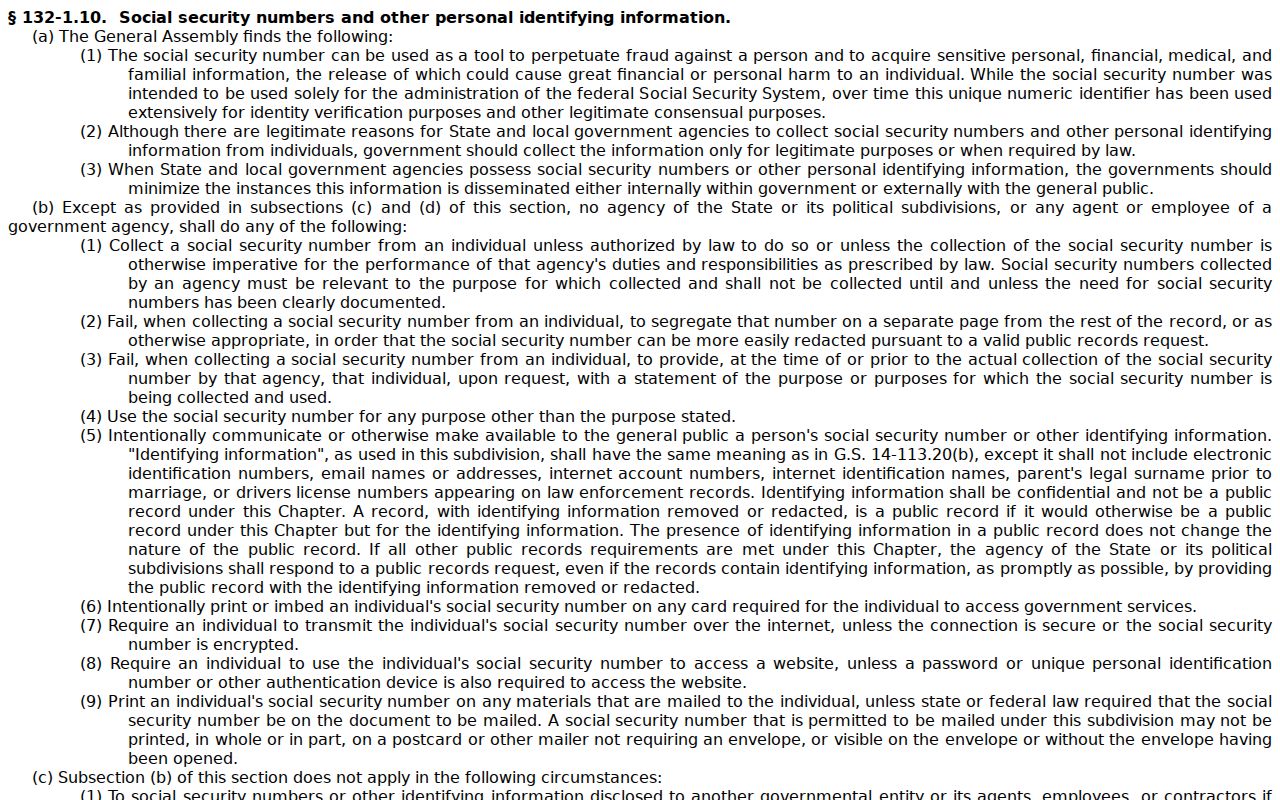
Identifier protections explain part of the gap. A public docket search will not always show every field from a filed record.
Wilkes County Civil Docket Paper Files
Wilkes joined eCourts Track 9 on July 21, 2025. Enterprise Justice Portal then became the online public-search route for Track 9 cases. Paper documents already on hand at conversion stayed in the clerk's office. That matters when a Wilkes County civil Case Summary points to a matter but an older paper or public document image is nowhere online. The documented local fallback is a clerk terminal and a look at the file itself. The check is subject to the record's access status.
You reach the Clerk of Superior Court at 500 Courthouse Drive, Wilkesboro, office line (336) 651-4400. Clerk offices offer public self-service terminals covering civil, special-proceeding, and estate information. You can inspect the actual file in the county where the case sits. Ask the local clerk about copies, restrictions, and current cost. Do not assume the Portal view is complete.
Note: A missing online image may call for a clerk file check. It matters most for material predating the eCourts conversion.
Wilkes County Civil Docket Custodian
For local case documents and case information, the custodian in Wilkes County is the Clerk of Superior Court. An NCAOC public-records form is not the custodian. The statewide form exists for records NCAOC itself holds. It says plainly that NCAOC is not the custodian of court documents or case information. So a request for a local pleading, docket, judgment, or estate record starts with the Wilkes Clerk. The statewide route still fits NCAOC administrative records. It never substitutes for the local case-file channel.
Wilkes Clerk of Superior Court
Local custodian for trial-court files, public terminals, inspection, copies, certificates, estates, and special proceedings.
500 Courthouse Drive, Wilkesboro, NC 28697
(336) 651-4400
One more split worth keeping straight. The clerk handles records, while the judicial offices manage court settings and hearing confirmation. Sorting those roles first keeps a case-file request from landing at the wrong state office.
Wilkes County Civil Docket Certified Copies
A Portal Case Summary, a public document image, a plain clerk copy, and a certified record serve different purposes. Only the clerk issues court authentication. G.S. 7A-308 sets the fees. The first page of each copied document costs $2.00. Each additional page or fraction costs $0.25. A certificate under seal is $3.00, exemplification is $10.00, and preparation and docketing of a transcript of judgment is $10.00. No separate docket-sheet price appears in the statute, so let the Wilkes Clerk confirm the actual request and the total.
| Clerk service | Statutory amount | What to confirm |
|---|---|---|
| Copy preparation | $2.00 first page; $0.25 each additional page or fraction | The document count and available format. |
| Certificate under seal | $3.00 | Whether that form of certification is needed. |
| Exemplification | $10.00 | Whether a higher-form authenticated record is required. |
| Transcript of judgment | $10.00 | Whether the request is for a transcript of judgment rather than a docket view. |
Note: A Wilkes County civil docket helps you pin down the right case and the right event before you ask the clerk for anything. It will not certify a record for you. It cannot promise that a balance is current, either. So confirm the record type and the certification you need with the Wilkes Clerk before you add up what a request will cost.
Wilkes County Civil Docket Record Boundaries
Three levels of a Wilkes County civil record get confused all the time. The Case Summary is the online docket reference. It runs in time order. Behind each event sits a filed order or pleading. That pleading is the actual document. A certified copy or a certificate under seal goes further still, because it is a record the clerk has authenticated. Blurring these levels is the most common docket search mistake. A Portal event or a judgment-index result is not the document itself. Smart Search gives the fuller Case Summary. NC Judgment Search is just an index layer. The Wilkes Clerk holds the local case file and handles certification. The official PACER docket service appears in this Wilkes County civil docket image.
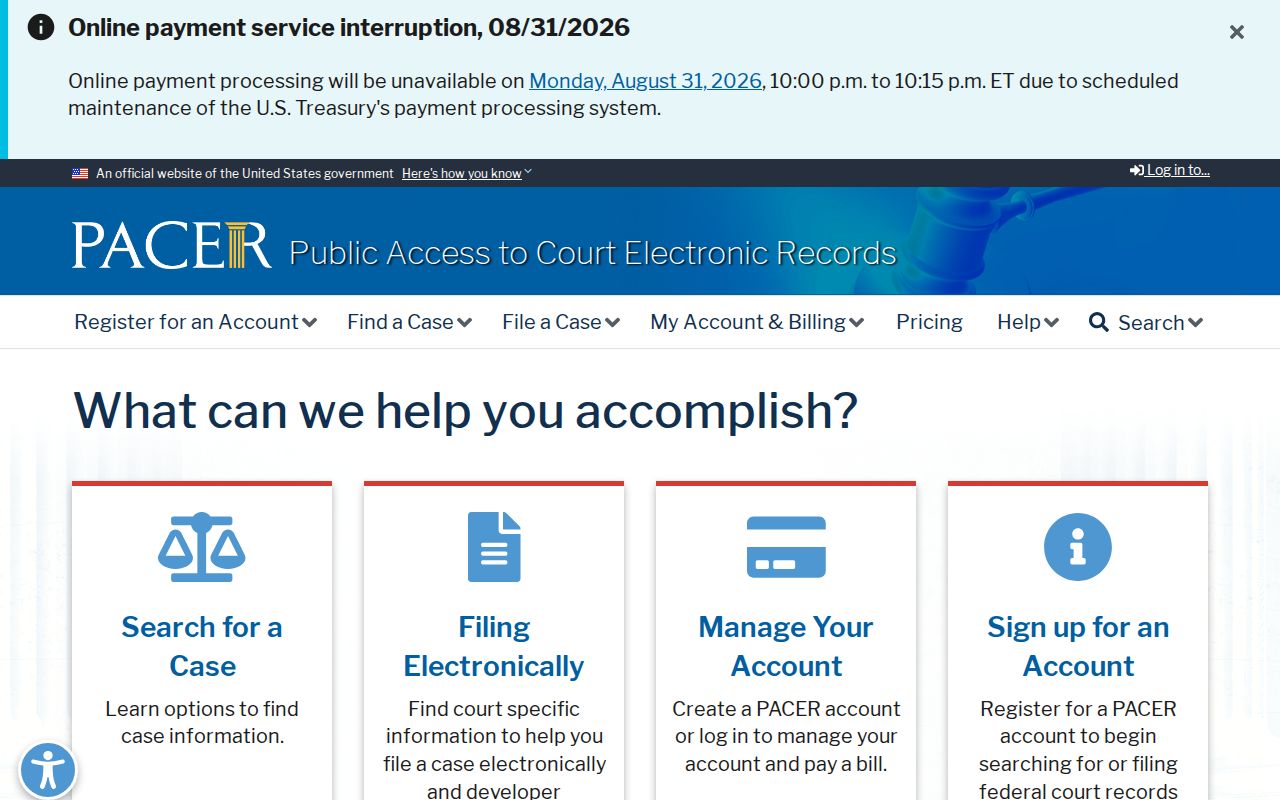
PACER serves federal dockets. It does not replace the North Carolina Portal and the Wilkes Clerk route you need for a Wilkes state civil record. A public Portal search is reference information, nothing more. When a document is unavailable, when you need a current financial total, or when a court must authenticate a record, go to the local clerk. The access rule that covers the record applies there.